Motion Migration: Move Work Without Losing History
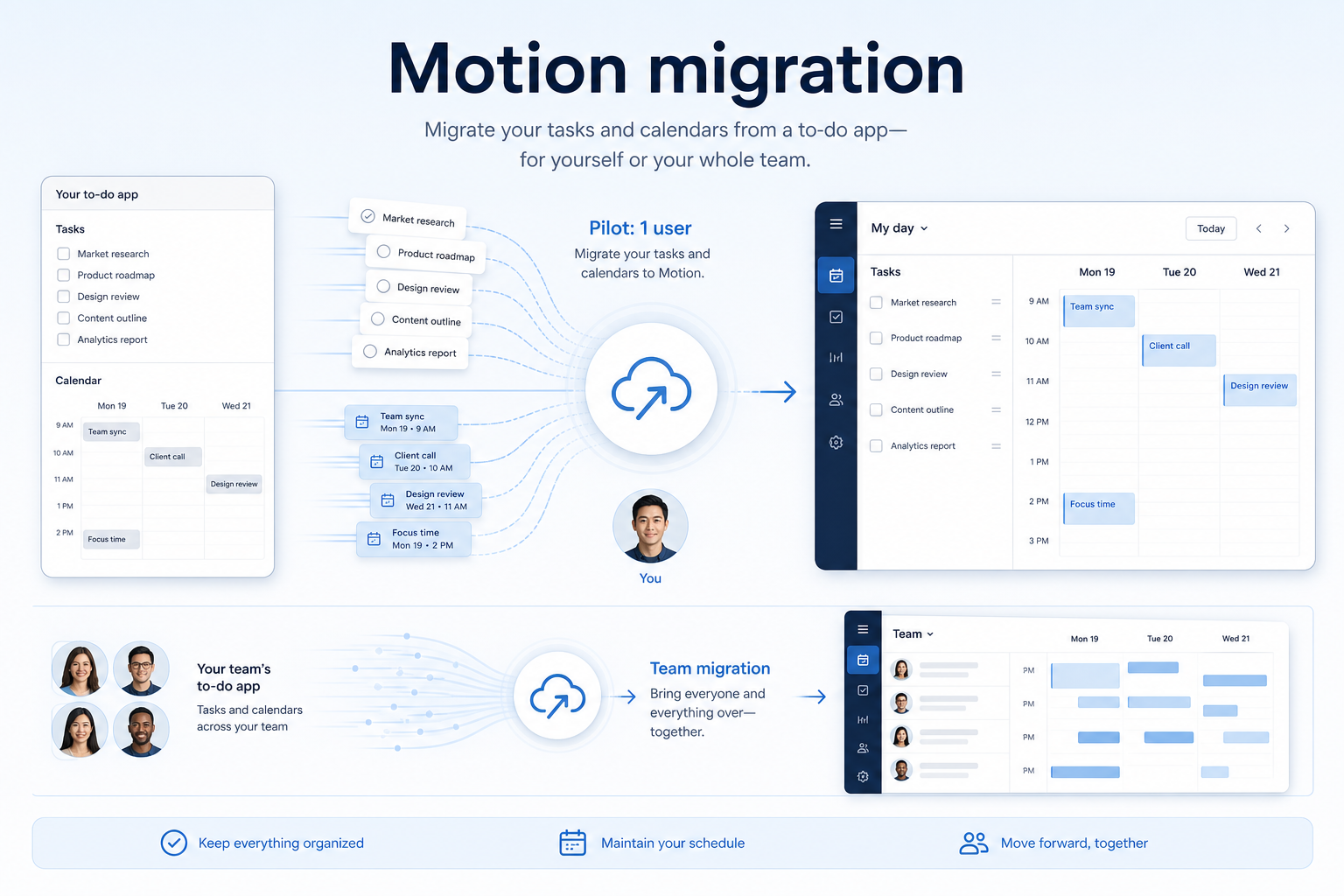
Migrate into Motion with an inventory, field map, pilot import, dual-run week, and validation — so boards, owners, and dates survive and the team trusts the new system.
Quick answer
Migrate into Motion with an inventory of tasks, calendars, projects, and meeting notes, a field map, a pilot import, a dual-run week, and validation with the people who live in the data — so history survives and the team trusts the new system. Do not big-bang cutover from a messy spreadsheet on a Friday.
- Inventory source objects before mapping
- Map fields — do not invent columns
- Pilot one project / team / client
- Dual-run for a week
- Validate with sceptic users
- Archive messy history instead of poisoning the new board
Motion migration rules
- Inventory first — Typical objects: tasks, calendars, projects, and meeting notes.
- Pilot beats big-bang — Prove a small Motion import before you move everything.
- Integrations after the pilot — Research names Google Calendar, Google Workspace, and Zapier on the Motion side — confirm the connectors your work loop depends on.
- Do not migrate the wrong job — Motion is AI calendar and auto-scheduled tasks. Do not import a CRM pipeline or a marketing course catalogue and expect it to become AI calendar and auto-scheduled tasks.
- Sceptics validate — If the people who live in the data do not trust the import, managers will not either.
Motion migration path
Motion migration map
1. Inventory source objects and decide what not to bring
Live set
You can name the boards that still get weekly updates.
Museum
Five years of stale rows — archive files, do not import as open work.
Wrong objects
If you are mapping CRM deals or LMS courses, stop — Motion is AI calendar and auto-scheduled tasks.
List tasks, calendars, projects, and meeting notes in the current source (Sheets, another work OS, or email). Mark each: migrate live, archive as files, or drop. 1. Count live vs stale items — stale work should not become “To do” in Motion.
- Capture owners, dates, comments, and attachments as first-class — not as a notes dump.
- Write the exclusions: personal lists, duplicate boards, and the wrong job cluster (a full work OS for 50-person portfolio reporting). Worked example: Northline Leads (PMs drowning in calendar tetris) inventories 14 spreadsheets and migrates two production boards. The rest become a read-only archive folder.
2. Map fields before you touch bulk import
Clean map
Every required field has a source and an owner.
Mystery columns
Unmapped fields become a Notes dumping ground — stop and decide.
Orphan owners
If names do not match seats, the board will look assigned and be ownerless.
Build a field map: source column → Motion property → transform → owner. 1. Owners must resolve to real users, not free-text names.
- Status values must match the lists you will actually use.
- Dates and timezones need an explicit rule.
- Comments/files either attach or get a documented “not migrating” label. Worked example: Northline Leads (PMs drowning in calendar tetris) refuses to import until 20 sample rows survive the map without a mystery column.
3. Pilot import one team — then run the real loop
Pilot pass
Sceptics find their work; managers see status without a sheet.
Pilot messy
Fix mapping and permissions; do not import the rest “to save time.”
Pilot empty
You imported structure without live items — that is not a pilot.
Import one site, one role, one client, or one squad. Then run capture tasks, let the calendar place them, and prove a meeting plus task day still holds on the pilot set. 1. Import, then immediately a user completes an auto-scheduled task and the calendar reflows without an admin.
- Ask a sceptic user to find “their” items without help.
- Time how long a manager takes to answer “what is late?”
- Fix the map before the next batch. Worked example: Northline Leads (PMs drowning in calendar tetris) will not schedule a cutover until the pilot can a user completes an auto-scheduled task and the calendar reflows without an admin.
4. Dual-run a week, then freeze the legacy source
Cutover ready
Seven matching days; sceptics stopped using the sheet.
Split brain
People still edit both — extend dual-run and kill one write path.
History poison
Import active records only; archive messy history as files.
Run old and new in parallel for a week. Spot-check records sceptic users care about, then freeze the legacy source. 1. Dual-run rules: Motion is the write path; the old sheet is read-only after day 3 if the pilot held.
- Daily: five sceptic spot-checks (late items, owners, attachments).
- Connect remaining integrations only after the pilot week. Research names Google Calendar, Google Workspace, and Zapier on the Motion side — confirm the connectors your work loop depends on.
- Cut over on a quiet day — not month-end reporting. Worked example: Northline Leads (PMs drowning in calendar tetris) keeps the old export until Motion matches for seven consecutive days, then revokes edit access on the spreadsheet.
Common Motion migration mistakes
Big-bang Friday cutover
You will spend the weekend reconstructing owners from Slack. Pilot + dual-run exists to avoid that.
Importing the museum
Stale rows become fake backlog. Archive them.
Skipping sceptic validation
Admins always think the import looks fine. Operators find the missing attachments.
Migrating the wrong product job
If the source is really a full work OS for 50-person portfolio reporting, Motion will not become that system by import.
Wiring every integration on night one
Broken sync on a bad map multiplies errors. Integrations after the pilot.
Motion checklist
Bring these questions to every demo
Ask vendors to show the workflow live, not just describe it.
- 1Inventory source objectstasks, calendars, projects, and meeting notes
- 2Run a pilot importOne segment first; fix mapping before bulk.
- 3Validate with operatorsSpot-check records they care about before cutover.
Frequently asked questions
Can we skip the dual-run?
Only if the dataset is tiny and reversible. Most SMB/mid teams regret skipping a week of parallel use.
What if history will not map cleanly?
Import active records first. Archive messy history as files rather than poisoning the new system of record.
Should comments and files come over?
If people still need them to do the work, yes. If they are CYA noise, archive. Decide per object in the inventory, not during bulk load.
Who should run the import?
The workspace owner plus one operator from Northline Leads — not a vendor alone. Operators catch mapping errors vendors will not see.
When do we connect Slack?
After the pilot loop works in Motion without chat as the system of record. Research names Google Calendar, Google Workspace, and Zapier on the Motion side — confirm the connectors your work loop depends on.
Was this article helpful?
Have more questions? Contact our support team.
SoftwareGlimpse Updates
Want clearer software shortlists? Get buying guides and comparisons by email.
Newsletter coming soon.