Motion Implementation: 30/60/90 Rollout That Sticks
Plan a practical Motion rollout — owners, core work loop, training, and adoption checkpoints — so the product becomes how the team actually ships work.
Quick answer
Roll out Motion in gated phases: freeze 90-day outcomes for AI calendar and auto-scheduled tasks, name an owner, configure the core loop, train the people who must update it weekly, then review adoption before adding automations or extra hubs. Confirm timeline / Gantt (Pro AI+) and workload and resources (Pro AI+) are on the package you will actually buy. Treat Motion implementation as phases — not a feature dump in week one.
- Freeze 90-day outcomes in writing
- Name an admin owner with hours
- Days 1–30: core loop only
- Days 31–60: train weekly users + sceptics
- Days 61–90: adoption review, then extras
- Do not implement it as the wrong job cluster
Motion rollout rules
- Job cluster first — Motion is AI calendar and auto-scheduled tasks. Do not implement it as a full work OS for 50-person portfolio reporting.
- Adoption before add-ons — If Northline Leads will not open the product weekly, extra hubs will not save the rollout.
- Integrations are a phase — Research names Google Calendar, Google Workspace, and Zapier on the Motion side — confirm the connectors your work loop depends on.
- AI is optional — Research lists AI assistant, AI summaries, AI automation, and AI recommendations for Motion. Research places AI assistance on Pro AI and Business AI.
- Measure the ritual — Success is capture tasks, let the calendar place them, and prove a meeting plus task day still holds — not a kickoff deck.
Motion 30/60/90
Motion 30/60/90
Motion must vs nice
- Weekly update ritual
- Sceptic user in training
- Named admin hours
- Automations and AI
1. Freeze 90-day outcomes before configuration sprawl
Clear outcomes
Three rituals, named owner, written exclusions.
Feature dump
Kickoff lists every hub — pause and cut to the core loop.
Wrong cluster
If the real job is a full work OS for 50-person portfolio reporting, stop this rollout and pick a different product.
Write three outcomes Motion must change — status visibility, owner accountability, or time-to-update — and who owns each. 1. Name the job: AI calendar and auto-scheduled tasks. Explicitly exclude a full work OS for 50-person portfolio reporting.
- Pick three measurable rituals (example: Friday status lives in Motion, not Slack).
- Name the admin owner and the weekly users.
- List nice-to-haves you will refuse until day 61. Worked example: Northline Leads (PMs drowning in calendar tetris) freeze “replace the status spreadsheet” as the only 90-day outcome. Portfolio dashboards wait.
2. Days 1–30: core loop only
On track
Weekly users update without nagging; managers look in-product.
Shadow tool
Slack or Sheets still hold status — do not start phase two.
Admin-only
If only the owner can update items, fix permissions before training.
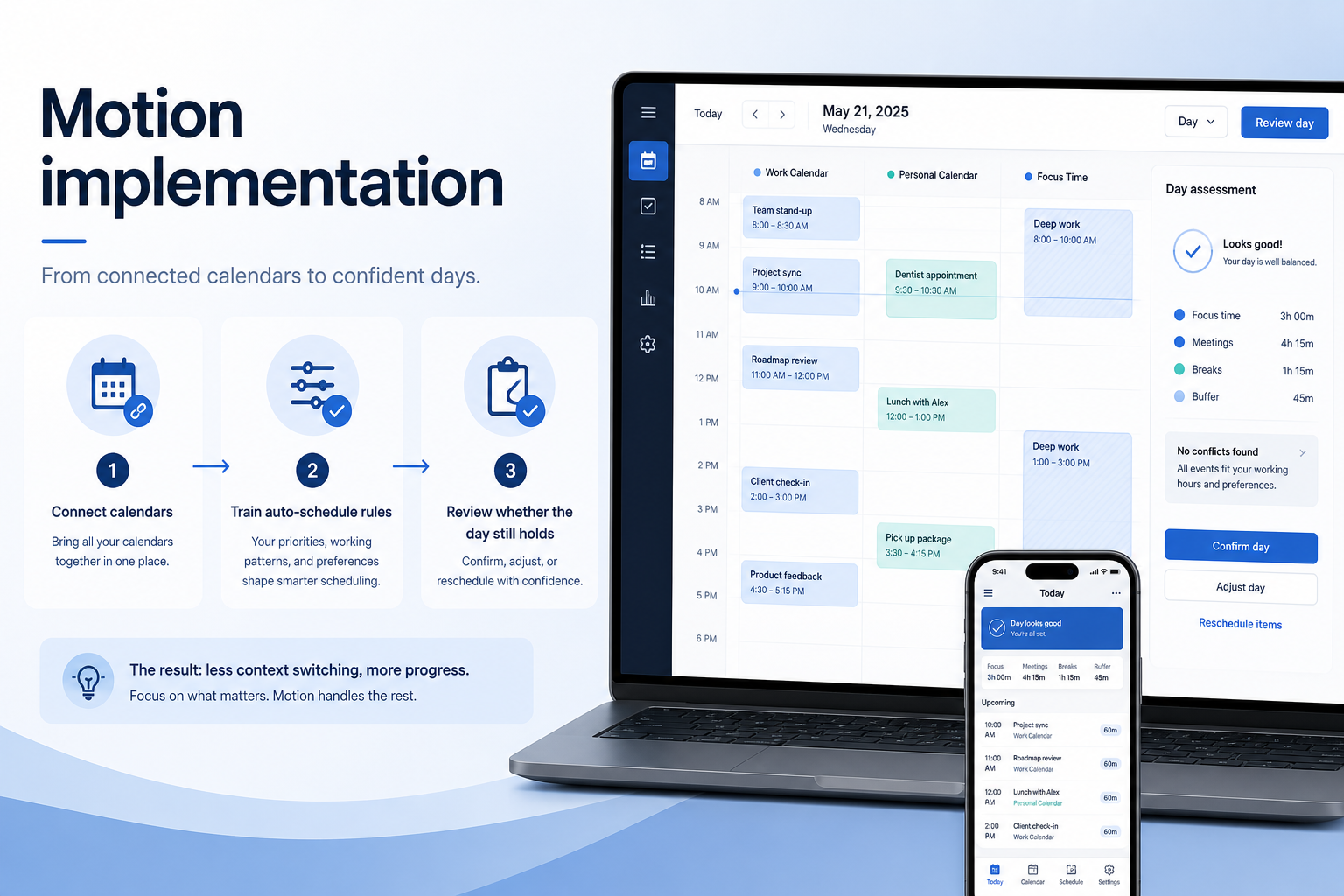
Configure one calendar connection, one task list, and auto-schedule rules you will live with. Success looks like: capture tasks, let the calendar place them, and prove a meeting plus task day still holds. 1. One live container of work with real owners.
- No marketplace apps except the connectors the loop needs. Research names Google Calendar, Google Workspace, and Zapier on the Motion side — confirm the connectors your work loop depends on.
- A manager can see status without asking for a screenshot.
- Log every “can we also…” request for day 61. Worked example: Northline Leads (PMs drowning in calendar tetris) delays optional AI and extra hubs until the core loop has a week of real use. Week-one marketplace apps are treated as a failure mode.
3. Days 31–60: train weekly users — include a sceptic
Ritual sticks
Sceptics update without a chase list.
Training theatre
Attendance was high; updates were not — rerun with live work.
Guest confusion
Clients or execs need a viewer path that is not a full seat.
Train the people who must update Motion every week — not a one-time all-hands. Our snapshot flags a trial on Pro AI and Business AI without a published length — confirm the window on the Motion pricing page. 1. Role-based sessions: contributors vs managers vs guests.
- Include one sceptic so adoption risk shows up before speeches.
- Practice a user completes an auto-scheduled task and the calendar reflows without an admin live — no slideware-only training.
- Capture every question as a training-cost line, not a feature request. Worked example: Northline Leads (PMs drowning in calendar tetris) includes one sceptic user in training so “I still ping the owner in Slack” shows up while you can still fix the ritual.
4. Days 61–90: adoption review, then extras
Adopted
Core loop is boring and reliable — extras are earned.
Partial
One team lives in it; others do not — do not buy enterprise hubs yet.
Failed ritual
Reset to setup: fewer seats, clearer owner, one board.
Check whether the core loop is actually used. Only then add automations, extra hubs, or AI. 1. Count weekly active updaters vs invited seats.
- Confirm managers stopped asking for spreadsheet status.
- Review watch-outs. Research flags: Premium seat vs ClickUp/Asana; No free plan; Collaboration thinner than Work OS peers.
- Unlock one extra: automations or a dashboard — not both in the same week. Worked example: Northline Leads (PMs drowning in calendar tetris) reviews whether capture tasks, let the calendar place them, and prove a meeting plus task day still holds happened for four consecutive weeks before expanding scope. Empty dashboards mean the rollout is not done.
Common Motion implementation mistakes
Feature dump in week one
Turning on every view trains nobody. Freeze the core loop for 30 days.
All-hands instead of weekly users
A kickoff webinar is not a ritual. Train the people who must update the board.
No sceptic in the room
Cheerleaders will nod. A sceptic will show you the Slack workaround.
Implementing the wrong cluster
Motion should not be stretched into a full work OS for 50-person portfolio reporting. Buy the second job as a second product or a later wave.
Automations as a substitute for ownership
If humans will not update items, rules will just move stale cards faster.
Motion checklist
Bring these questions to every demo
Ask vendors to show the workflow live, not just describe it.
- 1Freeze 90-day outcomesMust-haves and owners before configuration sprawl.
- 2Name a workspace ownerBoards, users, and hygiene need a responsible party.
- 3Schedule adoption reviewCheck core-loop usage before adding automations.
Frequently asked questions
How long should rollout take?
Ninety days is enough for most SMB/mid teams if you freeze the job and defer extras. Longer programmes help when change management is the risk — not when the product is “complex.”
What if we also need a different work-management job?
Buy the second job as a second product (or a later wave). Motion should not be stretched into a full work OS for 50-person portfolio reporting.
When do automations belong?
After four weeks of humans completing capture tasks, let the calendar place them, and prove a meeting plus task day still holds. Automating a dead board just creates faster garbage.
Do we need professional services?
Only if you cannot name an internal owner. A partner cannot substitute for weekly users. Confirm any implementation fees on the pricing page — do not invent them here.
What if adoption is low at day 60?
Do not buy more seats. Cut invited users to the people who must update Motion, fix permissions, and rerun non-admin proof.
Was this article helpful?
Have more questions? Contact our support team.
SoftwareGlimpse Updates
Want clearer software shortlists? Get buying guides and comparisons by email.
Newsletter coming soon.