SoftwareGlimpse
Sales Intelligence Software

Is Kixie Worth It? Fit Scenarios Before You Buy

Decide if Kixie is worth it for your outbound pod — fit scenarios, credit economics, and when to keep looking — without invented ROI percentages.

By Lee M.Updated Aug 17, 20266 min readFact-checked

Quick answer

Kixie is worth it when your outbound motion matches who it serves well, a non-admin can prove list → outreach → CRM logging in trial, and seats/credits on a real package clear your must-haves — confirmed on the pricing page. If fit, proof, or packaging fails, keep looking instead of forcing a buy.

  • Match best-for scenarios
  • Prove the outbound loop
  • Accept known tradeoffs
  • Confirm seats/credits
  • No invented ROI
  • Keep looking if gates fail
Goals
Features
Integrations
Cost
Ease of use
Growth

See Kixie before you decide

Core product overview media for a fit check — still not a substitute for the decision criteria on this page.

See Kixie in action

Official product overview for a fit check — not scoring, pricing, or comparative superiority.

This video is hosted on YouTube

This content is hosted by YouTube. The player loads only after you allow marketing cookies.

Official vendor video

Full Kixie Platform Demo 2025

What this shows

  • Power dialer CRM sync click-to-call SMS coaching

Product screenshots

Product screenshots coming soon

We only publish verified captures from Kixie's product interface — never stock images, mockups, or teaching diagrams. Screenshots appear here once editorial review confirms them.

Full product screenshots and evidence live on the Kixie research page.
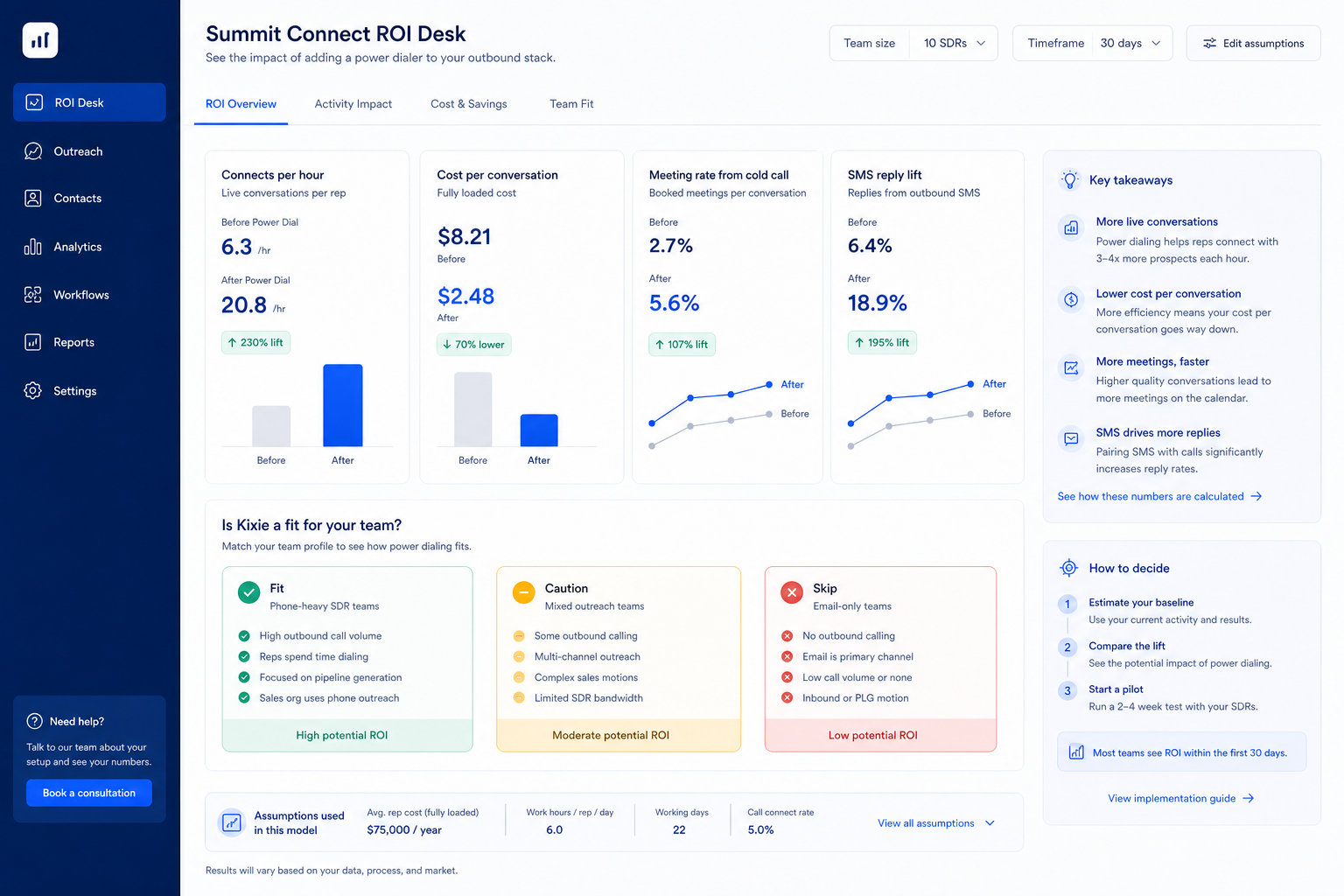
Is Kixie worth it?

  • What it is AI-powered sales dialer and business phone platform for CRM-connected outbound calling, SMS, and coaching.
  • Best for Outbound SDR and AE teams whose primary motion is high-volume calling rather than email; Sales managers who need call recording, live coaching, and conversation intelligence for rep development; Teams already standardized on HubSpot, Salesforce, Zoho, or Pipedrive who want calling activity logged automatically; Contact-center-style inbound teams needing routing alongside outbound dialing
  • Not ideal for Buyers looking for a contact database or prospect sourcing tool; Teams whose outbound motion is email-first or LinkedIn-first; Shoppers who refuse to engage sales for a quote before comparing options; Organizations wanting a single vendor for both prospect data and outreach execution
  • Commercial clarity Researched plans: Professional, Single-Line PowerDialer, Multi-Line PowerDialer. Never invent list prices here — confirm seats, credits, and quote terms on /pricing/kixie/.
  • Editorial verdict snapshot Kixie is a CRM-connected sales dialer and business phone platform, and the sales intelligence methodology shows exactly where it does and does not belong on a shortlist. CRM sync and conversation reporting are genuinely strong; contact data and email outreach are near-absent because Kixie is an execution layer for call…

Kixie worth-it gates

  1. 1Motion
  2. 2Trial
  3. 3Accept?
  4. 4Credits
  5. 5Buy/pass

Kixie worth-it framework

Kixie worth-it framework diagram.
Kixie is “worth it” when fit, trial proof, and qualifying cost align.

Kixie checklist

Bring these questions to every demo

Ask vendors to show the workflow live, not just describe it.

  • 1Match best-for scenariosYour motion should resemble who the product serves well.
  • 2Prove the outbound loopNon-admin list → outreach → CRM evidence.
  • 3Confirm seats and creditsMust-haves on a real package before you call it a bargain.

1. Fit gate: does your motion match?

Kixie worth-it diagram 1.
Fit Kixie to your outbound motion before you talk ROI.

Compare your ICP, channels, and admin capacity to researched best-for / not-ideal patterns. Best for: Outbound SDR and AE teams whose primary motion is high-volume calling rather than email; Sales managers who need call recording, live coaching, and conversation intelligence for rep development; Teams already standardized on HubSpot, Salesforce, Zoho, or Pipedrive who want calling activity logged automatically; Contact-center-style inbound teams needing routing alongside outbound dialing. Not ideal: Buyers looking for a contact database or prospect sourcing tool; Teams whose outbound motion is email-first or LinkedIn-first; Shoppers who refuse to engage sales for a quote before comparing options; Organizations wanting a single vendor for both prospect data and outreach execution. Worked example: an 8-person B2B outbound pod needs mid-market contact data and sequences with CRM logging. They score Kixie on fit only after reading those patterns — not after a polished demo.

2. Proof gate: non-admin outbound loop

Kixie worth-it diagram 2.
Kixie is worth it only when your pod can run the loop.
  1. A non-admin builds or uses an ICP list in Kixie.
  2. Enrichment (if needed) produces a usable email or phone.
  3. Sequence or dialer step completes.
  4. Activity appears in CRM without an admin screenshot. Our snapshot records no trial length for Kixie — ask for an evaluation window (and credit allotment) in writing before you commit seats. Worked example: an 8-person B2B outbound pod fails the gate when email never lands on the CRM contact; they extend trial, fix sync, and only then reconsider buy.

3. Tradeoff gate: can you live with the limits?

Kixie worth-it diagram 3.
Accept Kixie tradeoffs in writing — or keep looking.

Read strengths and weaknesses before you negotiate. Strengths: Bi-directional CRM integration with HubSpot, Salesforce, Zoho, Pipedrive, and Zapier across plans; PowerDialer ladder from Professional through Single-Line to Multi-Line dialing up to four lines; Analytics and reporting plus AI Insights and Conversation Intelligence as first-party pillars; Business phone, SMS, voicemail drop, live call coaching, and inbound contact-center features in one layer. Watch-outs: No B2B contact database — Kixie dials lists sourced from your CRM or a separate data vendor; Email sequencing is not a documented capability; the product is phone and SMS first; Seat dollar amounts are not published on the official pricing page, so every plan requires a quote; Premium add-ons including AI Human Detection, Conversation Intelligence, DNC, and ConnectionBoost stack cost. Worked example: an 8-person B2B outbound pod accepts known data coverage gaps for their secondary geo, documents them, and refuses to pretend Kixie is universal coverage.

4. Package gate and decide

Kixie worth-it diagram 4.
Buy Kixie only when fit, proof, and package gates agree.
  1. Confirm must-haves on a qualifying package. Our research does not flag plan-gated capabilities for Kixie, but confirm your must-haves — including credits and seats — against the packaging you actually intend to buy.
  2. Never invent list prices here — confirm seats, credits, and quote terms on /pricing/kixie/.
  3. Buy only when fit + proof + package all say yes.
  4. Otherwise keep looking via how to choose sales intelligence — teams often also evaluate Close, Amplemarket, and Apollo.io. Worked example: an 8-person B2B outbound pod clears fit and proof but fails package clarity; they pause the buy until credit exhaustion rules are written, instead of inventing an ROI percentage.

Frequently asked questions

  • Can we decide from a demo alone?

    No. Require non-admin proof of list → outreach → CRM logging on the package you will actually buy.

  • What if credits look cheap but seats are expensive?

    Model the constraint you will hit first. Many pods exhaust credits before seats — confirm both on the pricing page.

  • When should we walk away?

    When fit, trial proof, or written packaging fails. Keeping looking is cheaper than forcing Kixie into the wrong motion.

Was this article helpful?

Have more questions? Contact our support team.

SoftwareGlimpse Updates

Want clearer software shortlists? Get buying guides and comparisons by email.

Newsletter coming soon.