
This video is hosted on YouTube
This content is hosted by YouTube. The player loads only after you allow marketing cookies.
Official vendor video
How to use Cognism for Sales
What this shows
- Cognism sales prospecting product UI
Plan a practical Cognism rollout — owners, credits/seats, list quality, sequences or dialer, and CRM sync — so outbound becomes a repeatable motion.
Roll out Cognism in three phases: days 1–30 get outbound work happening in the tool with CRM logging, days 31–60 make weekly list and sequence reviews run from Cognism, and days 61–90 add only channels or enrichment that still aren’t working. If reps still burn credits without a logged CRM next step by week two, pause new features and fix that first.
Official setup walkthroughs and product surfaces that matter while you roll out Cognism — not a full product gallery.
Vendor tutorial for onboarding and configuration. It is not a SoftwareGlimpse rollout plan — use this guide for judgment.
This video is hosted on YouTube
This content is hosted by YouTube. The player loads only after you allow marketing cookies.
Official vendor video
Verified captures from Cognism's product interface.
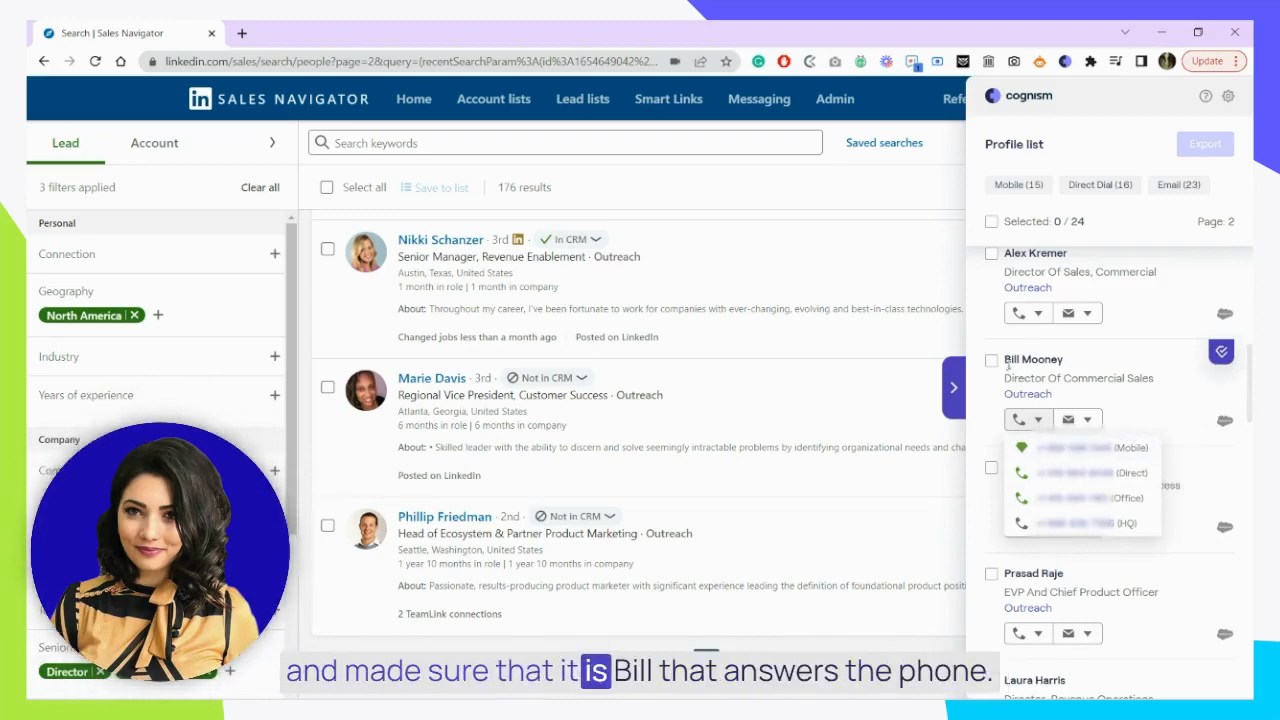
Official Cognism UI: Chrome extension enriching LinkedIn Sales Navigator results with mobiles and direct dials.
Vendor UI frame from official Cognism How to use Cognism for Sales video
https://www.youtube.com/watch?v=4YG5NhxbN-w · Checked 2026-08-17
Full product screenshots and evidence live on the Cognism research page.
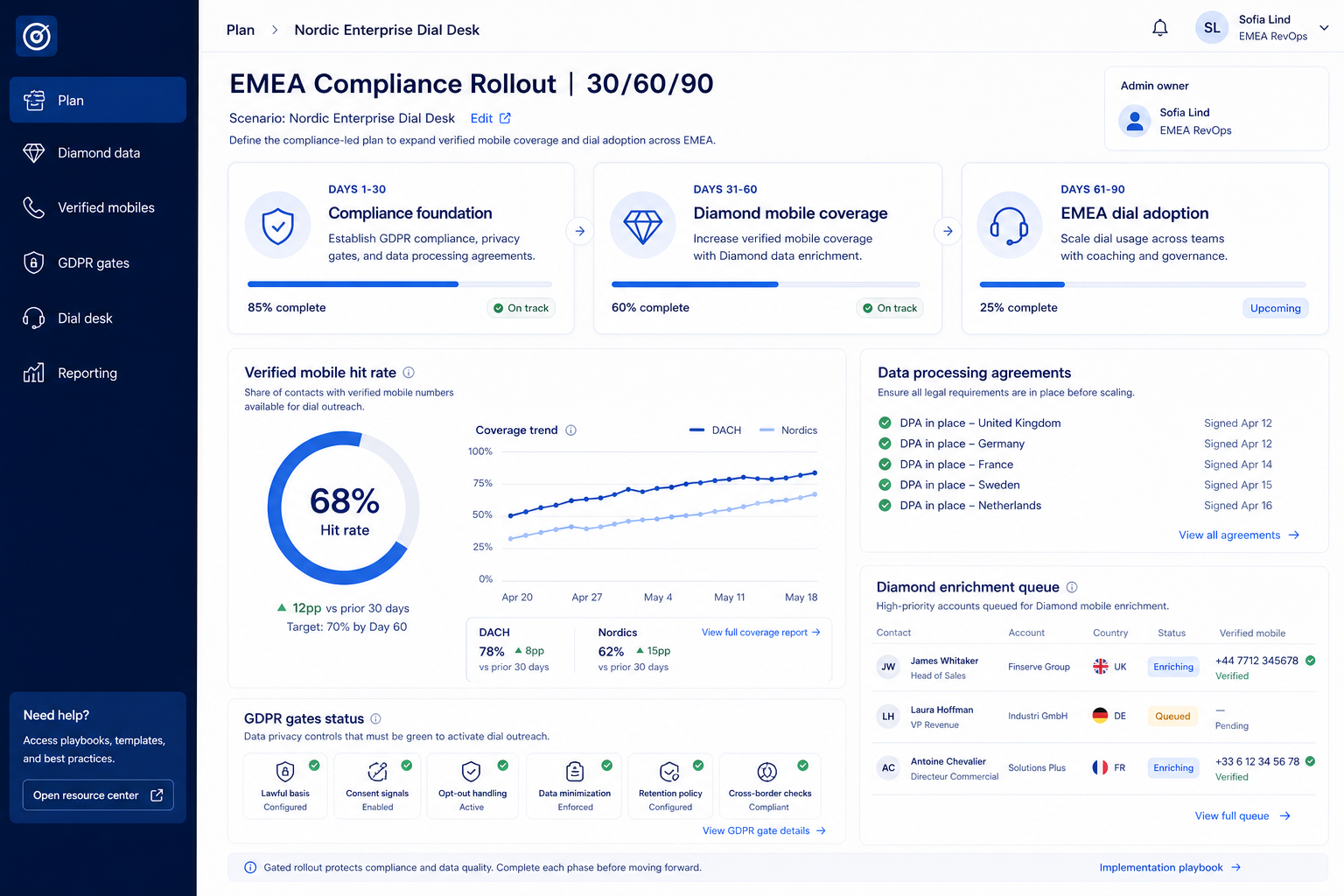
Bring these questions to every demo
Ask vendors to show the workflow live, not just describe it.
Lock three 90-day outcomes and name Responsible / Accountable before anyone burns credits. 1. Write exactly three 90-day outcomes in business language (meetings, coverage, reply quality).
Days 1–30 are for contact data, prospecting, data enrichment, and email outreach — not marketplace browsing. 1. Finish setup: one ICP list, CRM sync, one outreach channel.
Make Friday (or Monday) reviews run from Cognism. 1. Agenda: credit burn vs meetings, list quality flags, sequence reply rates, CRM sync errors.
Map must-have workflows to the Cognism plan that unlocks them — demos often run above the tier you can afford.
Worked example: EMEA / UK / DACH outbound teams that need phone-verified mobiles and GDPR-friendly data posture freezes must-haves on the qualifying tier before adding automations.
Track weekly completion of the primary workflow — not logins alone. If Cognism is empty after 30 days, pause new modules and fix the ritual.
Worked example: EMEA / UK / DACH outbound teams that need phone-verified mobiles and GDPR-friendly data posture reviews completion rates before enabling AI add-ons.
AI surfaces on Cognism include AI assistant, AI recommendations, and AI automation on Sales Prospecting Standard, Sales Prospecting Pro, and CRM Enrichment. Turn on AI only after the core loop works without it.
Add automations, secondary hubs, or advanced reporting only after the core loop survives a full quarter.
Worked example: EMEA / UK / DACH outbound teams that need phone-verified mobiles and GDPR-friendly data posture schedules a 90-day review before buying add-on seats.
Pause new list builds, tighten ICP filters, and review who is exporting vs outreaching. Do not buy a larger pack until the stack owner can explain credit-per-meeting for the last two weeks. Confirm pack options on the pricing page.
After the first channel produces CRM-logged activity and a weekly review rhythm. Parallel channels on day one usually double noise without doubling meetings.
One stack owner with calendar time — usually RevOps or sales ops — not a rotating AE committee.
Have more questions? Contact our support team.
Want clearer software shortlists? Get buying guides and comparisons by email.
Newsletter coming soon.